 NATIVE ADS
Native Ads Cloaker
Real-time traffic filtering for native advertising campaigns
Run on Outbrain, MGID, Revcontent and Newsbreak knowing that only real visitors reach your offer. The White Rabbit analyzes every click and filters out what should not be there.
What threatens your campaigns
Bots draining your ad spend
Native networks move massive impression volume, and automated traffic comes with it: clicks that eat your budget and never convert. Without filtering, you pay for visitors that do not exist.
Funnel and creative espionage
Spy tools crawl native networks around the clock. Competitors clone your creative, your landing page and your offer days after you validate a campaign, eroding your edge.
Uneven quality across networks and placements
Scaling across multiple native networks means dealing with wildly different placement quality. Proxies, VPNs and datacenter connections pollute your data and distort the metrics you rely on.
How the cloaker works on Native Ads
The cloaker sits between the click and your page, and splits traffic into two destinations.
How to set it up
- 1
Add your domain
Connect your campaign domain to The White Rabbit via domain integration, JavaScript or plugin. Setup takes minutes and requires no changes to your current structure.
- 2
Create a campaign with filters
Set up a campaign for your native network and enable the filters that matter: bots, proxy/VPN, geolocation, device, ISP and more. Each network can have its own configuration.
- 3
Use your protected link
Replace the final URL in your ad with the protected link. From then on, every visitor is analyzed in real time and only legitimate traffic reaches your offer.
Filters and protections
Bot blocking
Identifies and stops automated traffic, crawlers and non-human clicks before they consume your budget on native networks.
Proxy and VPN filter
Detects masked connections, datacenters and VPNs that hide a visitor's true origin and contaminate your metrics.
Spy tool protection
Blocks spy and monitoring tools that scan native networks to copy winning creatives, funnels and offers.
Geolocation filter
Make sure only visitors from your targeted countries and regions reach the offer, even when the network delivers outside your targeting.
Device filter
Separate mobile, desktop and tablet with precision. Send each visitor to the right experience and protect device-targeted campaigns.
ISP and language filter
Refine traffic quality by blocking suspicious providers and visitors whose language does not match your targeting.
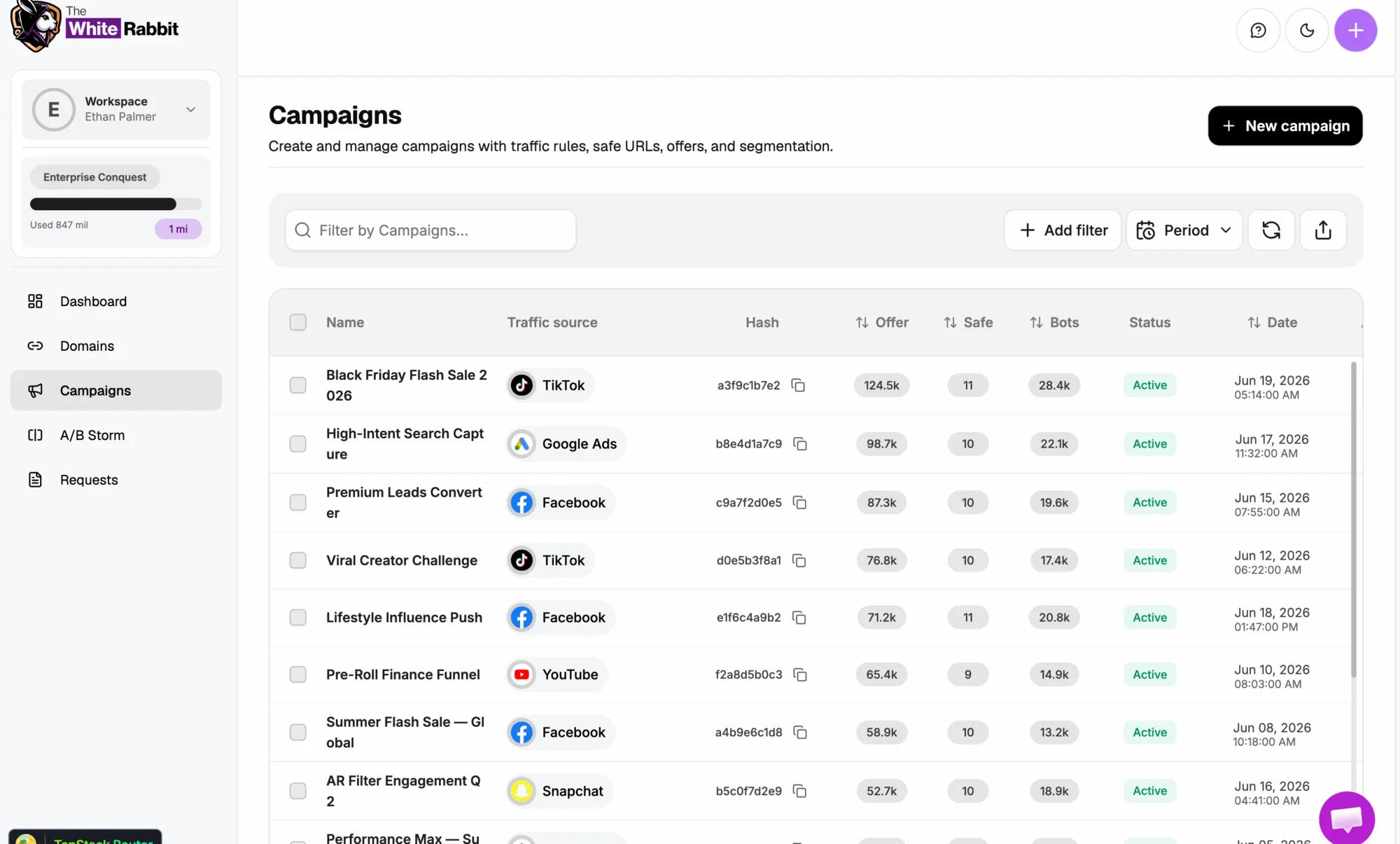
Inside the platform
Campaigns, domains and filters in one place, with the history of every decision.
Frequently asked questions
Which native networks does The White Rabbit support?
We support the leading native networks, including Outbrain, MGID, Revcontent and Newsbreak, plus other paid traffic sources. Integration is the same everywhere: domain, JavaScript or plugin.
Can I use different settings for each native network?
Yes. Every campaign has its own filter set. You can be stricter on a network with a history of low-quality traffic and more flexible on another, all from the same dashboard.
Does filtering add latency and hurt my conversion rate?
No. Analysis happens in milliseconds and is invisible to real visitors. In practice the effect is usually the opposite: with cleaner traffic, your conversion metrics become far more accurate.
How does filtering help me scale across multiple networks?
Scaling without filtering multiplies bad traffic along with the good. With The White Rabbit you enforce one quality standard across every network and compare results using reliable data, which makes scaling decisions much safer.
Can I see what was blocked and why?
Yes. The dashboard shows every analyzed visit with the block reason: bot, proxy/VPN, off-target geolocation, incompatible device and more. You get full visibility into your traffic quality.

Scale your native campaigns with clean traffic
Start filtering your traffic today and protect your budget, your creatives and your metrics across every native network.
Protect my traffic → Facebook Cloaker
 Google Cloaker
 TikTok Cloaker
 Kwai Cloaker
 Taboola Cloaker